LG UltraGear evo GX9 39GX950B-B
The 39GX950B-B is a curved 38.86-inch OLED gaming monitor with a 5120 × 2160 panel. It runs 5K2K at 165 Hz and can switch to 330 Hz at 2560 × 1080 with Dual-Mode. Its USB-C input carries video, data and up to 90 W of power; there is no built-in KVM.
39GX950B-B · 38.86-inch · 5K2K · black
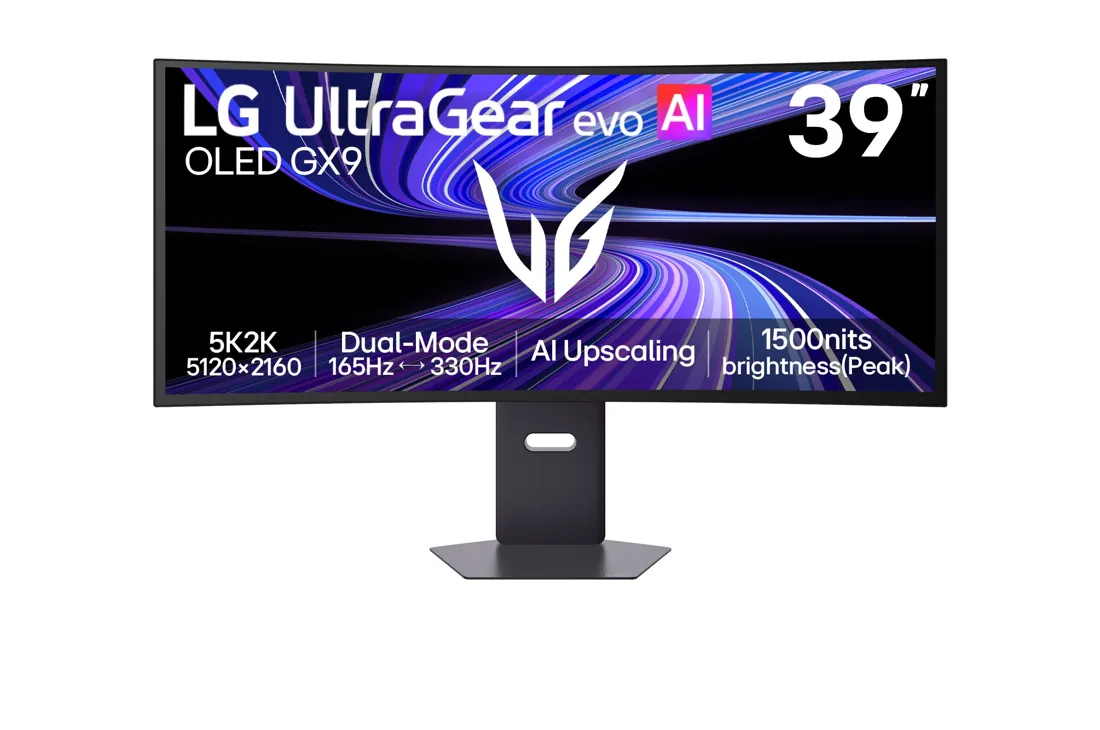
Specifications
| Specification | Value |
|---|---|
| Display | 38.86-inch OLED · 5120 × 2160 · 21:9 |
| Curvature | 1500R |
| Pixel pitch | 0.1776 × 0.1776 mm |
| Refresh rate | 165 Hz (5120 × 2160) |
| Dual-Mode | 330 Hz at 2560 × 1080 in the 21:9 modes; 330 Hz at 1920 × 1080 in the 16:9 modes |
| Pixel response | 0.03 ms GtG |
| Brightness | 335 nits typical; 300 nits minimum |
| Peak HDR brightness | 1500 nits |
| HDR formats | HDR10; VESA DisplayHDR True Black 500; no Dolby Vision |
| Colour coverage | DCI-P3 99.5% typical, 94% minimum (CIE1976); 1.07 billion colours |
| Contrast ratio | 1,850,000:1 typical; 1,480,000:1 minimum |
| Surface | Anti-glare, low-reflection front polarizer |
| Calibration | Factory calibrated; hardware-calibration ready (LG Calibration Studio) |
| Variable refresh | G-SYNC Compatible; FreeSync Premium Pro |
| DisplayPort | 1 × DisplayPort 2.1; UHBR20 |
| HDMI | 2 × HDMI 2.1 |
| USB-C input | 1 × USB-C; video, data and up to 90 W power |
| USB hub | USB-C upstream; 2 × downstream USB 3.2 Gen 2 |
| Multiple sources | 2 × PBP and PIP; no built-in KVM |
| Audio | 2 × 7 W speakers; 4-pole headphone output; AI Sound |
| Stand | Tilt −8° / +15°; ±30° swivel; 110 mm height adjustment |
| Wall mount | 100 × 100 mm; 4 × M4 × L10 screws; optional LSW149 plate |
| Dimensions | 921.4 × 605.4 × 322.8 mm with stand (up); 921.4 × 495.4 × 322.8 mm (down); 921.4 × 405.0 × 118.7 mm without stand |
| Weight | 10.7 kg with stand; 6.8 kg without |
| Power | External adapter; 40.3 W on-mode in SDR, 45.9 W in HDR |
| OLED care | Screen saver; Image Cleaning of about 10 minutes |
| Lighting | Unity Hexagon Lighting 2.0 on the back |
| Warranty | 2 years; OLED panel included |
From the manufacturer
LG presents the model as the world’s first 39-inch 5K2K OLED gaming monitor and highlights 1500-nit peak brightness, AI upscaling and Dual-Mode. LG UK
Strengths and limitations
TFTCentral measures about 335 nits in the uniform mode with little ABL. Brighter modes add more ABL. In HDR it measures about 1430 nits at the high peak setting and about 800 nits at the low setting.
TFTCentral: LG UltraGear Evo 39GX950B reviewThe same review says the current subpixel layout largely resolves text fringing for most users. It suggests 125% scaling for a comfortable text size.
TFTCentral: LG UltraGear Evo 39GX950B reviewThe AI upscaling works only when the screen detects a non-native signal, does not work in Dual-Mode and helps most with 1080p 60 Hz sources. The reviewer finds its use cases very limited.
TFTCentral: LG UltraGear Evo 39GX950B reviewDual-Mode has no true integer scaling. The reviewer saw an intermittent bug where the desktop split into sections after exiting, fixed by a screen reset. Grey banding is more visible at 330 Hz. VRR flicker appeared only in very dark scenes, mostly in Dual-Mode with large frame-rate swings.
TFTCentral: LG UltraGear Evo 39GX950B reviewHeight adjustment is stiff, and the screen wobbles slightly when adjusted or when the joystick is used. OLED care is limited to the screen saver and image cleaning, with no logo detection, taskbar detection or pixel shift.
TFTCentral: LG UltraGear Evo 39GX950B reviewPCWorld measured a sustained 310 nits in SDR, just over 1000 nits on a 3 percent HDR window, 100 percent sRGB, 99 percent DCI-P3 and 93 percent AdobeRGB on the 39GX950B-B, with an average colour error of 2.53. At 143 PPI, text looks very sharp from about a metre away.
PCWorld: LG UltraGear evo GX9 reviewPCWorld finds 165 Hz at 5120 x 2160 good for its class but blurrier than 240 Hz and faster monitors; the 330 Hz mode at 2560 x 1080 clearly sharpens motion but is judged a failure because of the resolution loss. The AI picture optimisation caused random colour temperature shifts, so the review recommends turning it off.
PCWorld: LG UltraGear evo GX9 review
Owner experiences and issues
Vega returned the monitor. They love the screen but find 165 Hz too low. With ultra-low input lag mode, the frame rate is capped at about 156 at 165 Hz, which they find annoying in FPS games.
HardForum: LG 39GX950B 39" 5120 × 2160 OLED 165 Hz ultrawide (page 2)MajorMullet says the internal fan is quieter than that of an older Alienware monitor but has not tried it in a completely quiet room. They notice slight sparkle on the matte coating in desktop use, but not in games.
HardForum: LG 39GX950B 39" 5120 × 2160 OLED 165 Hz ultrawide (page 2)Coming from a PG42UQ, aznpotpie says desktop mode looks dim regardless of settings while games look more vivid. They are not sure they will keep it.
HardForum: LG 39GX950B 39" 5120 × 2160 OLED 165 Hz ultrawide (page 2)
Tags
Compare
- ASUS ROG Swift OLED PG32UCWM / LG UltraGear evo GX9 39GX950B-B
- Alienware AW3226Q / LG UltraGear evo GX9 39GX950B-B
- Dell UltraSharp U3226Q / LG UltraGear evo GX9 39GX950B-B
- LG UltraGear evo GX9 39GX950B-B / MSI MPG 322UR QD-OLED X24
- LG UltraGear evo GX9 39GX950B-B / Samsung Odyssey OLED G6 G60SF (27-inch)
- LG UltraGear evo GX9 39GX950B-B / ASUS ROG Strix OLED XG27UCDMG
- LG UltraGear evo GX9 39GX950B-B / ASUS ROG Swift OLED PG27UCDM
- LG UltraGear evo GX9 39GX950B-B / Dell UltraSharp U2725QE
- LG UltraGear evo GX9 39GX950B-B / LG UltraGear 27GX790A-B
- LG UltraGear evo GX9 39GX950B-B / MSI MPG 271QR QD-OLED X50
- LG UltraGear evo GX9 39GX950B-B / ASUS ROG Swift OLED PG27AQDP
- LG UltraGear evo GX9 39GX950B-B / MSI MPG 321URX QD-OLED
Sources
- LG UK: UltraGear evo GX9 39GX950B-B specifications
- LG Canada: 39GX950B-B specifications
- LG 39GX950B Owner’s Manual (English)
- LG 39GX950B Product Information Sheet (EU 2019/2013)
- TFTCentral: LG UltraGear Evo 39GX950B review
- HardForum: LG 39GX950B 39" 5120 × 2160 OLED 165 Hz ultrawide (page 2)
- PCWorld: LG UltraGear evo GX9 review